9x9 Rotate and Flip Puzzle offers a satisfying blend of strategy and relaxation. The three modes—Classic, Time Attack, and special tile—provide variety without overwhelming players. Controls are intuitive, and the grid layout is easy to read. A great choice for puzzle fans of all ages.
Description
Game Introduction
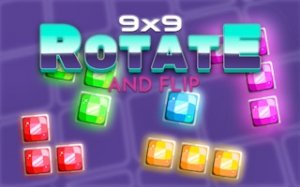
9x9 Rotate and Flip Puzzle is a strategic puzzle game played on a classic 9x9 grid. The core objective is to fit tetromino shapes by rotating and flipping them to complete horizontal or vertical lines. The game includes three distinct modes: Classic mode for high-score pursuit, Time Attack mode for fast-paced action with time bonuses, and a special tile mode where you clear marked tiles before timers expire. This clean and intuitive design suits players of all ages looking for relaxation and mental stimulation. The game emphasizes spatial reasoning and planning, making it a great choice for both casual players and puzzle enthusiasts.
How to Play
Players use mouse or touch controls to rotate and flip each geometric shape. Drag and drop the shape onto the 9x9 board. Plan moves to fill gaps and set up multiple line clears for maximum points. In Time Attack mode, prioritize lines marked with a clock icon to gain extra seconds. In the special tile mode, watch for tiles on the grid and clear their rows or columns before timers run out. Avoid creating isolated holes to keep the board flat and extend your game in Classic mode. The controls are simple and responsive, allowing for quick adjustments.
Game Features
Three distinct game modes offer variety and replayability. Rotate and flip mechanics add strategic depth to the puzzle gameplay. Family-friendly design ensures safe play for all ages. Clean graphics and intuitive controls make it easy to start playing. No time limits in Classic mode for relaxed play. The game may include visual feedback for line clears and score updates. The grid-based layout is clear and easy to read, helping players plan their moves effectively.
Tips for Success
Practice rotating and flipping shapes quickly to spot the best placement. Try to keep the board as flat as possible by avoiding isolated gaps. In timed modes, focus on clearing marked lines first to extend your play. Plan ahead by looking at the next shape to prepare optimal placements. Regular practice will improve your spatial reasoning and score. Taking breaks between sessions can help maintain focus and enjoyment.
Compatibility
• OS: Windows 10+, macOS 11+, iOS 14+, Android 10+
Can I play 9x9 Rotate and Flip Puzzle on mobile devices?
Yes, the game is designed with touch controls, making it suitable for mobile phones and tablets. You can drag and drop shapes directly on the screen, just like on a computer.
Is there a way to undo a move in 9x9 Rotate and Flip Puzzle?
The game may include an undo feature, but it is not guaranteed. Many puzzle games of this type offer a limited number of undos or a restart option. Check the in-game menu for available options.
What happens when the board fills up in Classic mode?
When no more shapes can be placed on the 9x9 grid, the game ends. Your final score is displayed, and you can start a new round to try to beat your previous high score.
Are there any in-app purchases or ads in 9x9 Rotate and Flip Puzzle?
The game may include optional ads or in-app purchases, but this is not specified in the input. Typically, free puzzle games offer ad-supported play with the option to remove ads via a small purchase.
Can I compete with friends in 9x9 Rotate and Flip Puzzle?
The game does not explicitly mention multiplayer or leaderboards. However, you can compare high scores with friends by sharing your results or playing the same mode and tracking personal bests.
What is the best strategy for the special tile mode?
In special tile mode, focus on clearing rows or columns that contain marked tiles before their timers expire. Prioritize these over general line clears, and try to keep the board flat to avoid creating new marked tiles.
Player Comments
💬
Sign in to comment
You must be logged in before posting a review or rating.







Player Comments
Sign in to comment
You must be logged in before posting a review or rating.
No account? Create one
No comments yet. Be the first to comment!