Creative Coloring for Kids offers a delightful and safe coloring experience for children. The wide range of pictures, from animals to landscapes, keeps kids engaged. The simple tools and automatic saving make it easy for young artists to create and share their artwork without frustration.
Description
Game Introduction
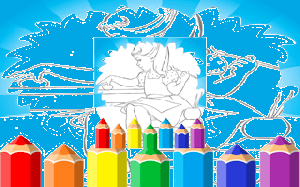
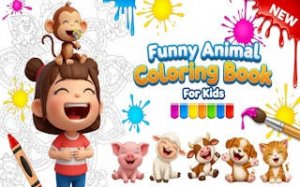
Creative Coloring for Kids is a free online coloring book game designed for children and families. It provides a creative space where players can color a variety of pictures, including cute animals, lovely landscapes, and fun characters. The game runs directly in the browser as an HTML5 game, so no downloads or installations are needed. Its design focuses on safety and simplicity, making it suitable for all ages. Players can explore many colors and brush sizes to create unique artwork, while also learning colors and improving hand-eye coordination.
How to Play
To play, start by selecting a picture from the gallery. Then choose a color from the bright palette and use the brush to paint on the picture. You can change the brush size to work on small details or large areas. There are no rules, so you can paint freely and experiment with different colors. The game automatically saves your progress, allowing you to return later. Finished pictures can be saved to your device to share with others. Simply click and paint to begin.
Game Features
The game includes easy-to-use tools with a wide range of colors. The picture gallery offers many themes such as animals and landscapes. It is safe for all ages with no inappropriate content. The game runs smoothly in any modern browser without plugins. Progress is saved automatically so you can continue your artwork later.
Tips for Success
To get the most out of the game, try experimenting with different color combinations and brush sizes. Start with larger areas before focusing on small details. Take your time and enjoy the creative process without rushing. Saving your work regularly ensures you don't lose progress. Sharing your finished pictures with family and friends can be a fun way to celebrate your creativity.
❌ Not supported: Internet Explorer, older browser versions
Faq
Is Creative Coloring for Kids free to play?
Yes, Creative Coloring for Kids is completely free to play. There are no hidden fees or subscriptions required. You can access all the pictures and tools without any payment.
Do I need to download anything to play Creative Coloring for Kids?
No, you do not need to download or install any software. Creative Coloring for Kids runs directly in your web browser as an HTML5 game. Just open the website and start coloring.
Can I play Creative Coloring for Kids on a tablet or phone?
Yes, Creative Coloring for Kids is designed to work on touchscreen devices. You can use your finger or a stylus to color on tablets and smartphones, making it easy to play anywhere.
How do I save my artwork in Creative Coloring for Kids?
The game automatically saves your progress as you color. When you finish a picture, you can save it to your device by using the save option. This lets you keep your creations and share them with others.
What types of pictures can I color in Creative Coloring for Kids?
Creative Coloring for Kids offers a variety of pictures, including cute animals, lovely landscapes, and fun characters. The gallery includes many themes to keep children engaged and inspired.
Is Creative Coloring for Kids safe for young children?
Yes, Creative Coloring for Kids is designed with safety in mind. It contains no inappropriate content and is suitable for all ages. The simple interface makes it easy for young children to use independently.
Player Comments
💬
Sign in to comment
You must be logged in before posting a review or rating.






Player Comments
Sign in to comment
You must be logged in before posting a review or rating.
No account? Create one
No comments yet. Be the first to comment!