
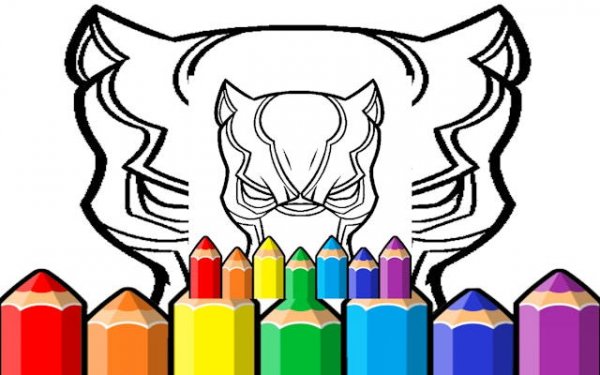
Panther Mask Coloring Game
Reviews
The Black Panther Mask Coloring Pages game offers a solid selection of templates that range from simple to intricate. The tools are responsive and easy to switch between. The undo feature is helpful for correcting small errors. The lack of ads or registration makes it a clean experience. It is a good option for quick creative sessions or longer, more detailed projects. The ability to save artwork adds to its replay value.
About this game
Game Introduction
This online coloring game offers a digital canvas for creative expression, featuring a library of mask outlines inspired by a iconic symbol. Players can choose from classic and abstract designs, each providing a new opportunity for color exploration. The game is designed as a calming and focused activity suitable for both children and adults. There is no need to download software or create an account; simply open the game and start coloring. The interface is clean and easy to navigate, making it a straightforward way to enjoy a creative break.
How to Play
To play, select a mask design from the gallery. The sidebar contains a range of coloring tools including brushes, pencils, and a fill bucket. Pick a color from the palette and apply it to the mask sections. Use the zoom feature for detailed areas. If a mistake is made, the undo button allows for corrections. Players can layer colors and add special effects like sparkles. Once finished, the artwork can be saved to a device. The process is simple and encourages experimentation.
Game Features
The game features an extensive art library with varied mask designs. A creative toolkit offers brushes, pencils, markers, and a fill bucket. A rich color palette includes gradients and special effects. The interface is intuitive and responsive for all users. The game promotes stress relief through focused coloring and provides a family-friendly environment with no inappropriate content.
Tips for Success
To get the most out of the game, start with simpler designs to practice color coordination. Use the zoom tool for intricate areas to maintain precision. Experiment with different brush sizes and effects to add depth. Don't be afraid to use the undo button to try new combinations. Saving your work periodically can help you track progress. Most importantly, enjoy the process and let your creativity guide you.
🛠️ Compatibility
• OS: Windows 10+, macOS 11+, iOS 14+, Android 10+ • Browsers: Chrome 100+, Safari 15+, Edge 100+, Firefox 100+ • Not compatible with Internet Explorer Tested on real devices – works as expected


Leave a comment