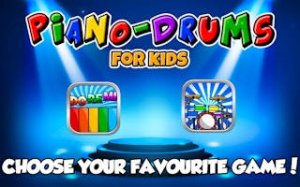
Little Music Makers Piano Drums is a wonderful first music app for young children. It is completely ad-free and has no in-app purchases, which is rare and reassuring for parents. The two instrument modes are simple and engaging, helping kids develop rhythm and coordination through open-ended play. The large, colorful keys are easy for small fingers to tap. A perfect tool for creative exploration.
Description
Game Introduction
Little Music Makers Piano Drums is a digital music application designed for toddlers, preschoolers, and young children. It transforms a mobile device into a simple piano and a lively drum set, scaled appropriately for small hands. This digital playground encourages creativity, coordination, and auditory development through open-ended play. The app is completely free of advertisements and does not include any in-app purchases, providing a secure environment for exploration. With bright, intuitive interfaces and large keys, children can start making music immediately without navigating complex menus. It serves as a first musical experience that supports fine motor skills and a sense of rhythm. The app is built for young learners who are curious about sounds and music. It offers a gentle introduction to musical instruments without pressure or structured lessons. Parents can feel confident that their child is engaging with a wholesome, educational tool that prioritizes safety and fun. The app's design focuses on simplicity and accessibility, ensuring that even the youngest users can interact with it independently. By providing two distinct instrument modes, it allows children to explore different auditory experiences and discover their preferences. The open-ended nature of the app means there are no goals to achieve or levels to complete, fostering a stress-free environment where creativity can flourish. This approach helps build confidence and a positive association with music from an early age.
How to Play
To begin, open the app and let your child choose between Piano Mode or Drum Mode. In Piano Mode, tapping the colorful keys produces clear notes, allowing children to experiment with melodies. In Drum Mode, tapping the playful drum kit generates beats and cymbal sounds. There are no scores, timers, or rules, enabling open-ended exploration. Parents can join in for duets or allow children to play independently. The app is designed for instant fun with no setup required, making it easy for young children to start playing right away. The large, responsive keys and drums are easy for small fingers to tap, encouraging repeated interaction. Children can switch between modes at any time, keeping the experience fresh and engaging.
Game Features
The app offers a safe, ad-free environment with no in-app purchases, ensuring uninterrupted play. The kid-friendly interface features large, easy-to-tap keys and drums that are visually appealing. It includes two classic instruments: a piano and a drum kit, each with distinct sounds. The app supports the development of fine motor skills and hand-eye coordination through interactive play. It provides a secure space for children to explore music freely without external distractions. The design is simple and intuitive, allowing even very young children to navigate independently. The app does not collect any personal data, prioritizing user privacy.
Tips for Success
Encourage your child to experiment freely with both instruments to discover different sounds. Play alongside them to model creativity and make the experience more engaging. Regular short sessions help build rhythm and coordination. Celebrate any sounds they make to boost confidence and enjoyment. The open-ended nature means there is no wrong way to play, so let curiosity guide the fun.
Compatibility
Play on Any Device | Chrome / Safari / Edge Recommended
Faq
Is Little Music Makers Piano Drums suitable for children under 2 years old?
The app is designed for toddlers and preschoolers, typically ages 2 and up. For children under 2, supervised play is recommended. The large keys and simple interface can be engaging for younger children, but individual readiness may vary.
Does the app work offline after the initial download?
Yes, once downloaded, Little Music Makers Piano Drums works offline. No internet connection is needed for play, making it convenient for car rides or travel. This also ensures a safe, distraction-free experience without ads or external links.
Can multiple children use the same device with this app?
Yes, multiple children can use the same device. The app does not require user profiles or accounts. Simply hand the device to the next child, and they can start playing immediately. The open-ended design works well for sharing.
What types of sounds does the drum kit include?
The drum kit includes a variety of playful percussion sounds such as drum beats and cymbal effects. Each part of the drum set produces a different sound when tapped, allowing children to explore rhythm and create their own patterns.
Is there any parental control or settings menu in the app?
The app is designed for simplicity and does not include a settings menu or parental controls. Its ad-free and purchase-free nature means no restrictions are needed. The app is safe for independent use by young children.
How can I provide feedback or get support for the app?
Feedback and support are typically available through the app store page where you downloaded the app. You can leave a review or contact the developer through the store listing. The app itself does not contain a feedback button to maintain a child-friendly interface.
Player Comments
💬
Sign in to comment
You must be logged in before posting a review or rating.










Player Comments
Sign in to comment
You must be logged in before posting a review or rating.
No account? Create one
No comments yet. Be the first to comment!