This game turns a basic color-matching concept into an engaging reflex challenge. The gradual speed increase keeps the gameplay fresh without feeling overwhelming. Clean visuals and a global leaderboard add replay value, while the forgiving penalty system encourages players to focus on accuracy. It is a solid choice for quick gaming sessions or longer practice runs.
Description
Core Sorting Action
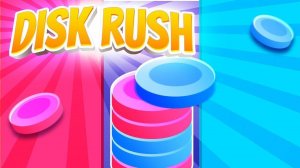
At its heart, this game presents a straightforward task: colored disks drop from the top of the screen, and players must direct each one to the zone that matches its color. The controls are simple—tap a disk, then tap the correct zone—but the challenge lies in the increasing speed and volume. As you progress, the game demands quicker decisions and more precise taps, turning a simple sorting exercise into a test of mental agility.
Difficulty Curve
The game gradually ramps up the pace, introducing more disks and faster drop rates as you achieve higher scores. This progression ensures that early rounds feel manageable, while later stages push your reaction time to its limits. The difficulty increase is smooth, allowing players to build skills naturally without sudden spikes that might feel unfair.
Visual Clarity
Bright, distinct colors and a clean interface help players quickly identify each disk and its matching zone. The design minimizes visual clutter, so the focus stays on the sorting task. This clarity is especially important as the speed increases, reducing eye strain and helping players maintain accuracy under pressure.
Competitive Motivation
A global leaderboard allows players to compare their high scores with others, adding a competitive layer to the experience. This feature encourages repeated play as you try to improve your ranking. The leaderboard is accessible from the main menu, making it easy to check your standing and set new personal goals.
Family-Friendly Design
The game is built for players of all ages, with no violent or inappropriate content. The cheerful sound effects and bright graphics create a welcoming atmosphere. Parents can feel comfortable letting children play, and the simple mechanics mean even young players can participate and improve over time.
Compatibility
✅ Works on PC & Mobile | Recommended: Chrome / Safari / Edge
Faq
Is there a time limit for each round in Hue Sorter Reflex Challenge?
No, there is no fixed time limit. The game continues as long as you keep sorting disks correctly. The challenge comes from the increasing speed of falling disks, not from a countdown timer. This allows players to focus on accuracy without the pressure of an expiring clock.
Can I play Hue Sorter Reflex Challenge offline?
Yes, the game can be played without an internet connection. The leaderboard feature requires online access to submit and view scores, but the core sorting gameplay works fully offline. This makes it convenient for playing during commutes or in areas with limited connectivity.
Does the game include any in-app purchases?
The game may offer optional cosmetic upgrades or score multipliers, but these are not required to enjoy the full experience. All core gameplay features are available without spending money. Players can achieve high scores and compete on the leaderboard without any purchases.
What happens if I sort a disk into the wrong color zone?
Sorting a disk incorrectly results in a point deduction rather than an immediate game over. This system rewards careful play while still allowing room for mistakes. Players can recover from errors by maintaining accuracy in subsequent sorts, making the game forgiving for beginners.
Is there a way to practice without affecting my high score?
Some versions of this game include a practice mode that lets players sort disks at a slower pace without impacting their leaderboard score. This mode is useful for learning the controls or warming up before attempting a high-score run. Check the game menu for practice options.
Does the game support different colorblind modes?
The game uses distinct color hues and may include patterns or symbols on disks to assist players with color vision deficiencies. Not all versions have this feature, so it is advisable to check the settings menu. If available, these options help ensure the game is accessible to a wider audience.
Player Comments
💬
Sign in to comment
You must be logged in before posting a review or rating.



Player Comments
Sign in to comment
You must be logged in before posting a review or rating.
No account? Create one
No comments yet. Be the first to comment!