Weekend Cruise Local Racer succeeds by keeping things simple. The one-button control scheme lets anyone join without a tutorial, yet the bumping mechanic requires thoughtful timing and awareness. The bright visuals and upbeat soundtrack create a welcoming atmosphere that avoids any stressful elements. Short rounds make it easy to play multiple matches in a sitting, and the local multiplayer focus encourages genuine social interaction. While it lacks depth for solo play, as a party game it delivers consistent fun.
Description
Core Driving Action
Weekend Cruise Local Racer focuses on straightforward driving with a twist. Each player selects a colorful vehicle and uses a single key to accelerate. The goal is to tap opponents from the front to briefly slow them down, creating a playful competition. The track includes static objects like benches and trees that can hinder your own progress if hit. This simple setup keeps the focus on timing and positioning rather than complex maneuvers.
Visual Style and Atmosphere
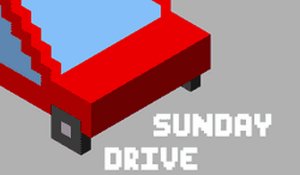
The game presents a bright, cartoon-like 3D city environment with clear colors and simple shapes. Cars come in red, blue, green, and yellow options, making it easy to spot your vehicle. The cheerful background music, composed by Kevin MacLeod and Disyman, adds to the relaxed yet competitive mood. The visual design avoids any intense or scary elements, ensuring comfort for younger players.
Session Length and Replayability
Rounds are designed to be short, typically lasting around five minutes. This makes the game ideal for quick breaks or as a warm-up activity during social events. Because matches are brief, players can easily jump into multiple rounds, trying different car colors or strategies. The randomness of obstacle placement and opponent movements keeps each session feeling fresh without requiring lengthy commitments.
Social and Family Dynamics
Local multiplayer support for two to four players encourages face-to-face interaction. The game works well for siblings, parents, and friends of various ages because controls are easy to learn. Communication and friendly banter often emerge as players coordinate bumps or react to near misses. The lighthearted tone means that even when someone loses, the experience remains fun and inclusive.
Compatibility
• OS: Windows 10+, macOS 11+, iOS 14+, Android 10+
Can I play Weekend Cruise Local Racer online with friends?
No, this game is designed for local multiplayer only. All players must be on the same device using separate controls. There is no online matchmaking or network play.
How do I restart a round in Weekend Cruise Local Racer?
Press the R key on your keyboard to restart the current round. This resets all cars to their starting positions and clears any ongoing bumps or obstacle interactions.
Does Weekend Cruise Local Racer have any single-player mode?
The game is built for multiplayer competition. While you can technically play alone by controlling one car, there are no AI opponents or solo challenges. The experience is best with at least one other person.
What age group is Weekend Cruise Local Racer suitable for?
The game is family-friendly and appropriate for all ages. Its simple controls and non-violent bumping mechanics make it accessible to children as young as five, while adults can enjoy the strategic positioning.
Are there different tracks or environments in Weekend Cruise Local Racer?
Based on the available information, the game features a single city-themed track with obstacles like benches, trees, and ramps. There is no mention of multiple track variations or unlockable environments.
Can I customize the controls or car colors in Weekend Cruise Local Racer?
Players can choose from four preset car colors: red, blue, green, or yellow. Controls are fixed to a single key per player. There are no options to remap keys or customize vehicle appearance beyond color selection.
Player Comments
💬
Sign in to comment
You must be logged in before posting a review or rating.



Player Comments
Sign in to comment
You must be logged in before posting a review or rating.
No account? Create one
No comments yet. Be the first to comment!