Speed Typing Fun Runner offers a refreshing take on typing practice by wrapping it in a cheerful arcade package. The bright visuals and straightforward controls make it easy to pick up, while the adjustable difficulty ensures long-term engagement. Feedback after each session helps players see real progress, and the family-friendly design means anyone can enjoy it. It is an excellent tool for improving keyboard skills without pressure.
Description
Core Typing Mechanics
In Speed Typing Fun Runner, players watch the screen as letters appear and must press the corresponding keys on their keyboard. Each correct press adds to the score, while mistakes may slow progress. The game tracks both speed and accuracy, providing feedback after each session to help players see their improvement over time. There are no complicated rules or distracting elements, allowing full focus on the typing task.
Visual Style and Atmosphere
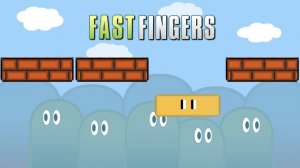
The game features bright, cheerful graphics that create an inviting environment for players of all ages. Colorful backgrounds and playful animations make each typing session visually engaging without being overwhelming. This design choice ensures that the game remains accessible and enjoyable, whether played during a short break or a longer practice session.
Progression and Difficulty
Players can start with easier levels that introduce letters at a slower pace, then gradually move to more challenging stages as their fingers become faster. The adjustable difficulty ensures that both beginners and experienced typists find appropriate challenges. Personal high scores are tracked, giving players a clear goal to work toward with each session.
Family-Friendly Design
Speed Typing Fun Runner is built for a safe, family-friendly experience. There is no inappropriate content, making it suitable for children and adults alike. The simple controls mean no lengthy tutorials are needed, so anyone can pick up the game and start playing immediately. This focus on accessibility and positive reinforcement helps players stay motivated without stress.
❌ Not supported: Internet Explorer, older browser versions
Faq
Is Speed Typing Fun Runner suitable for young children?
Yes, the game is designed for all ages. Its simple mechanics and colorful visuals make it accessible to young children who are learning the keyboard. There is no inappropriate content, and the difficulty can be adjusted to match a child's skill level.
Can I play Speed Typing Fun Runner on a mobile device?
The game is primarily designed for computers with a physical keyboard, as it relies on key presses. Some mobile versions may be available, but the experience is optimized for desktop or laptop use to ensure accurate typing practice.
Does Speed Typing Fun Runner track my progress over time?
Yes, the game records your speed and accuracy after each session. This allows you to see how your typing skills improve with regular practice. Some versions may also save high scores for different difficulty levels.
Are there different game modes in Speed Typing Fun Runner?
The game may include various modes that challenge players to type faster or more accurately. These modes provide variety and help keep practice sessions fresh. Check the game's menu for available options.
How can I improve my score in Speed Typing Fun Runner?
Focus on accuracy first, as correct keystrokes earn more points and avoid slowdowns. Practice regularly to build muscle memory, and start with easier levels before increasing difficulty. Taking short breaks can also help maintain focus.
Is Speed Typing Fun Runner free to play?
Many versions of this game are free to play, though some may include optional in-app purchases or advertisements. Check the specific platform's store page for pricing details before downloading.
Player Comments
💬
Sign in to comment
You must be logged in before posting a review or rating.








Player Comments
Sign in to comment
You must be logged in before posting a review or rating.
No account? Create one
No comments yet. Be the first to comment!