Stacking Tiles Logic Puzzle delivers a satisfying mental challenge with its simple yet strategic tile placement. The gradual acceleration creates a natural difficulty curve that suits both beginners and experienced players. The chain scoring system adds depth by encouraging multi-row clears. Its browser-based nature means zero setup, making it an excellent choice for quick brain training breaks. The controls are responsive, and the full-screen option enhances focus. Overall, it is a well-crafted puzzle game that respects the player's time.
Description
Core Gameplay Loop
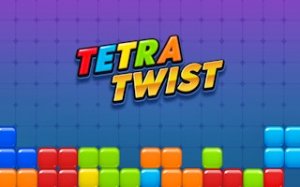
In Stacking Tiles Logic Puzzle, the primary activity involves guiding descending tiles into a vertical grid. Each tile must be placed to help fill a horizontal line from left to right. Once a line is fully occupied, it disappears, freeing up space and awarding points. The challenge lies in thinking ahead: where will the next tile land, and how can it best contribute to completing a row? This simple yet deep mechanic keeps players engaged as they try to optimize each placement.
Increasing Difficulty Curve
As the game progresses, tiles fall at a faster rate, reducing the time available for decision-making. This gradual acceleration means that early rounds feel relaxed, allowing newcomers to learn the basics. Later stages demand quicker reactions and more precise positioning. The rising speed creates a natural difficulty curve that rewards practice and pattern recognition. Players who can stay composed under pressure often achieve higher scores.
Scoring and Chain Reactions
Points are earned each time a row is cleared. However, the system also rewards players who clear multiple rows in rapid succession. When two or more lines vanish at once, bonus points are added to the score. This encourages strategic placement: instead of simply filling any row, players may aim to set up situations where several rows are nearly complete simultaneously. The scoring system adds an extra layer of planning beyond basic survival.
Accessibility and Platform
Stacking Tiles Logic Puzzle runs entirely in a web browser, so there is no software to install or download. It works on desktop computers and supports a full-screen mode for a more focused experience. Controls are straightforward, using either a mouse or keyboard to move tiles left or right. This low barrier to entry makes the game suitable for players of all ages, from children to adults, who want a quick mental workout without complex setup.
Compatibility
Play on Any Device | Chrome / Safari / Edge Recommended
Faq
Is Stacking Tiles Logic Puzzle free to play?
Yes, the game is completely free to play. There are no hidden charges or in-app purchases required. You can access it directly through a web browser on a desktop computer without any payment.
Can I play this game on a mobile device or tablet?
The game is designed primarily for desktop computers with mouse or keyboard input. It may not be optimized for touchscreens or mobile browsers, so performance on phones or tablets might vary.
Does the game save my high score between sessions?
The game may track your highest score during a single session, but it typically does not save progress or scores permanently across different browser sessions unless a login or local storage feature is explicitly mentioned.
What happens when tiles reach the top of the screen?
If the stack of tiles reaches the top of the playing area, the game ends. This is the primary failure condition, so players must clear rows regularly to keep the stack from growing too high.
Are there different difficulty levels or modes?
Based on available information, the game features a single mode with increasing speed over time. There is no mention of selectable difficulty levels or alternative game modes. The challenge comes from the natural acceleration.
Can I pause the game in the middle of a round?
Many browser-based puzzle games include a pause function, but it is not explicitly stated for Stacking Tiles Logic Puzzle. If available, it would likely be accessible via a button or keyboard shortcut during play.
Player Comments
💬
Sign in to comment
You must be logged in before posting a review or rating.








Player Comments
Sign in to comment
You must be logged in before posting a review or rating.
No account? Create one
No comments yet. Be the first to comment!