Melody Maker strips away complexity to focus on pure sound arrangement. The character-based interface makes layering beats and melodies intuitive, even for those with no musical training. Immediate audio feedback and a forgiving, no-fail environment encourage endless tinkering. While it lacks advanced features like saving or custom samples, its strength lies in instant accessibility and creative freedom. Ideal for casual music exploration or a classroom icebreaker.
Description
Sound Building Blocks
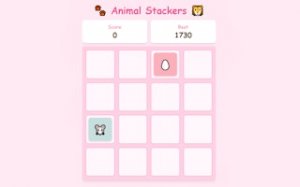
At its core, this experience revolves around a simple grid where players place small character tokens. Each token corresponds to a specific audio sample, such as a drum hit, a synth note, or a vocal chop. By positioning multiple tokens on the grid, users stack these samples to form rhythmic patterns and harmonic sequences. The interface provides immediate audio feedback, so every placement or removal updates the composition in real time. This direct manipulation makes the process feel less like programming and more like arranging physical objects on a table.
Visual Feedback and Interaction
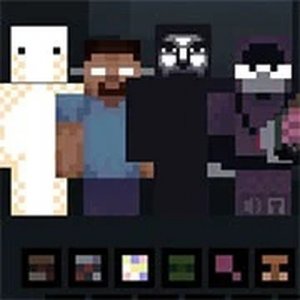
The characters are designed with distinct visual cues that hint at their sound. A character with a wave icon might produce a sweeping pad, while one with a dot pattern could trigger a percussive hit. When placed on the board, each character animates subtly, indicating its active role in the mix. This visual reinforcement helps players quickly associate icons with audio outcomes, reducing the learning curve. The board itself remains uncluttered, with clear drop zones that highlight when a character is correctly positioned.
Exploration Without Pressure
There is no scoring system, timer, or failure state. Players are free to add, remove, or rearrange characters without consequence. This design choice removes performance anxiety and encourages open-ended tinkering. Someone might start by placing a single bass character, then gradually introduce a melody line, and later remove elements to hear how the texture changes. The absence of rigid goals means each session can be purely exploratory or directed toward a specific musical idea.
Sharing and Community Aspects
Once a composition feels complete, the game provides a simple way to share the result. Players can generate a link that others can open to hear the same arrangement. This sharing feature turns personal experiments into collaborative inspiration. Friends can listen, suggest changes, or even try to recreate the piece in their own session. While the game does not include a public gallery or social feed, the ability to pass creations between people fosters a small, informal community of music makers.
Technical Accessibility
Built on a platform designed for educational projects, the game runs entirely in a web browser. There is no software installation, account registration, or plugin requirement. It works on desktop and tablet devices with modern browsers. The audio engine handles multiple simultaneous samples without noticeable lag on typical hardware. This low barrier to entry means anyone with an internet connection can start composing within seconds, making it suitable for classrooms, casual play, or quick creative breaks.
Compatibility
💻 Desktop | 📱 Mobile | 📟 Tablet
– All supported · Best with Chrome or Safari
Faq
Does Melody Maker require any special equipment to use?
No. The game runs entirely in a standard web browser. You only need a device with an internet connection and a mouse or touchscreen for dragging characters onto the board. No microphone, MIDI controller, or headphones are required.
Can I save my songs and come back to them later?
The game does not include a save feature for individual projects. Each session starts fresh, though you can share a link to your current composition. If you want to revisit a piece, you will need to recreate it manually or keep the shared link.
Is there a limit to how many characters I can place on the board?
The board has a finite number of slots, typically enough for a layered composition of several elements. Exact limits depend on the current version, but the design supports enough characters to create a full-sounding tune without overcrowding the interface.
What age group is this game best suited for?
The simple drag-and-drop controls and lack of text-heavy instructions make it accessible to children as young as five or six. Older players and adults also find value in the open-ended sound design. The content is free of any mature themes.
Can I use my own audio samples in the game?
No. The game provides a fixed set of character sounds. You cannot upload or import custom audio files. The available samples are curated to work well together, so users can focus on arranging rather than sourcing sounds.
Does the game work on mobile phones?
It works best on devices with a screen size of at least 7 inches, such as tablets or laptops. Very small phone screens may make it difficult to see and drag the characters accurately. A mouse or stylus improves precision on smaller displays.
Player Comments
💬
Sign in to comment
You must be logged in before posting a review or rating.







Player Comments
Sign in to comment
You must be logged in before posting a review or rating.
No account? Create one
No comments yet. Be the first to comment!